 English
 Arabic
 French
 Spanish
 Portuguese
 Deutsch
 Turkish
 Dutch
Dutch
 Italiano
 Russian
 Romaian
 Portuguese (Brazil)
 Greek
Greek
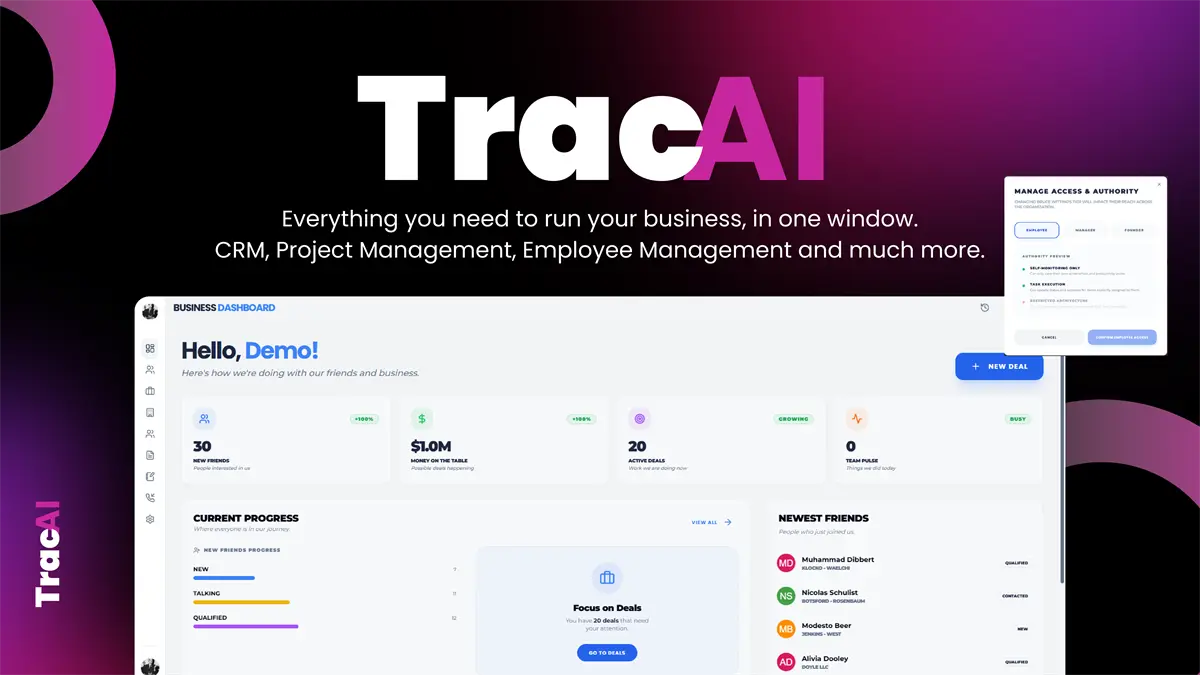
Managing employees becomes more challenging as a business grows, especially when teams work remotely, from different offices, or on flexible schedules. Managers need a clear understanding of attendance, working hours, tasks, and progress without spending the entire day asking for updates.
Employee Tracking Software can bring these details together in one place. Instead of relying on spreadsheets and manual reports, businesses can use digital tools to understand work patterns, organize employees, and improve daily operations.
See Work More Clearly
Good workforce management starts with visibility. Managers should know what is happening across their teams without constantly interrupting employees.
Modern platforms can provide real-time information about employee activity, attendance, and work progress. Trac AI, for example, offers live employee screen viewing, activity screenshots, daily work summaries, automatic attendance, and active or inactive time tracking.
This kind of information can make it easier to identify delays and understand how projects are progressing.
Accurate Time Tracking
Keeping track of working hours manually can take a lot of time. Employees may forget to record their hours, while managers can spend hours checking and correcting records.
Automated clock-in and clock-out features can make the process more consistent. Trac AI includes automatic and manual clock-in/out, attendance records, timesheets, project time tracking, and attendance exports.
Accurate records are useful for workforce planning, payroll preparation, and understanding how much time is being spent on different projects.
Understand Daily Activity
Simply knowing that an employee is logged in does not always explain how the workday is going. Activity information can provide additional context.
Tools can track active and non-active periods, website and application usage, hourly work activity, mouse clicks, and keystrokes. Trac AI provides these types of insights through its employee-management features.
This information should be used thoughtfully. A short period of inactivity does not automatically mean someone is unproductive. Meetings, reading, planning, breaks, and offline work can all be legitimate parts of a normal workday.
Helpful for Remote Teams
Remote work has changed how companies manage employees. Team members may be working from different cities and time zones, making traditional office supervision impossible.
Employee tracking tools can provide managers with a centralized view of workforce activity. Real-time updates and automatic summaries can reduce the need for repeated status messages. The platform positions its workforce tools around live visibility and fewer manual updates.
This can be especially useful for companies with distributed teams.
Activity Screenshots
Screenshots can provide visual information about what employees are working on. For remote teams, they can help managers understand activity without scheduling constant video calls.
However, privacy should always be part of the conversation. Trac AI includes activity screenshots along with screenshot redaction and blurring features designed to help protect sensitive information. It also lists role-based access controls, TLS encryption, GDPR support, and organization data isolation.
Companies should establish clear policies explaining what is collected and how employee information is handled.
Daily Reports Save Time
Managers often spend too much time collecting individual updates. Automated reporting can make this process much easier.
Daily, weekly, and monthly reports can provide a quick overview of attendance, activity, and work patterns. Trac AI offers daily work summaries as well as reporting and attendance-export features.
Instead of chasing employees for basic information, managers can spend more time solving problems and supporting their teams.
Connect Tracking With Actual Work
Tracking activity becomes more useful when it is connected to tasks and projects.
Trac AI combines employee management with task and project management. Teams can create tasks, subtasks, checklists, priorities, tags, notes, files, and other project information within the same workspace.
This gives managers more context. They can compare working patterns with actual responsibilities instead of looking at activity numbers in isolation.
Avoid Micromanagement
The purpose of tracking technology should not be to watch every employee every second. Excessive monitoring can damage trust and create unnecessary stress.
A better approach is to use data to identify broader patterns. For example, repeated delays may indicate an overloaded employee, unclear instructions, or an inefficient process.
The platform describes its approach as providing visibility into what is moving, what is stuck, and who is responsible without relying on constant status requests.
That makes tracking more useful as a management tool rather than simply a surveillance system.
Employee Visibility Matters
Transparency can make tracking easier for employees to accept. When workers can understand their own records, they can also use the information to improve time management.
Trac AI includes employee-side reporting that allows team members to view how much they have worked and track their progress.
This creates a more balanced experience where employees are not simply being measured but can also benefit from the information.
Website and Application Insights
Computer-based employees often use multiple websites and applications throughout the day. Some are essential for work, while others may create distractions.
Tracking tools can show application and website usage patterns. Trac AI provides detailed breakdowns and allows organizations to categorize applications as productive or distracting.
These insights can help businesses identify workflow problems and make better decisions about how teams spend their working time.
AI Makes Data More Useful
Artificial intelligence can help transform large amounts of workforce information into practical insights.
Trac AI includes AI-powered features for task creation, meeting notes, email assistance, workflow automation, and daily summaries. Its AI Manager is designed to work with tasks, documents, conversations, decisions, and company history.
This can reduce administrative work and help employees turn ideas or conversations into organized tasks.
Workforce Planning Becomes Easier
Employee data can also support better planning. Managers can review attendance patterns, working hours, project time, and shift information when making staffing decisions.
The platform includes shift scheduling, recurring shifts, leave requests, holiday requests, attendance exports, and an AI shift planner.
Having scheduling and workforce information together can make daily operations easier to coordinate.
Security and Access Control
Employee information is sensitive, so businesses should carefully control who can access it.
Role-based permissions can limit access according to responsibilities. Encryption and data isolation can provide additional security measures. Trac AI lists these features as part of its privacy and compliance offering.
Companies should also maintain clear internal policies and regularly review access to workforce reports.
Supporting Productivity
The real value of Employee Tracking Software is not simply collecting data. It is using that data to make work more organized.
Managers can identify bottlenecks, understand workload distribution, recognize strong performance, and improve processes. Employees can also use their own reports to become more aware of how they spend their time.
When the information leads to useful action, tracking becomes much more valuable.
A More Connected Workplace
Modern workforce platforms can combine tracking with tasks, projects, communication, CRM, scheduling, and other business operations.
Trac AI positions itself as an all-in-one business operating system rather than a standalone tracking tool, combining workforce management with projects, CRM, accounting, shifts, and AI capabilities.
This connected approach can reduce the need to switch between numerous separate applications.
Final Thoughts
Employee Tracking Software can help businesses understand working hours, attendance, employee activity, and project progress in a more organized way. Features such as automatic time tracking, activity reports, screenshots, application usage, task management, and AI summaries can provide useful visibility across modern teams.
The best results come from using these tools responsibly. Clear policies, appropriate access controls, employee transparency, and respect for privacy can help businesses improve productivity without creating a culture of unnecessary micromanagement.


